NOMONO STUDIO CLOUD

The podcast studio
in your browser

Record, enhance, edit, transcribe, and sync audio to video, then publish a finished episode.

One place, from first take to finished episode

Everything a spoken-audio creator needs,
in a single connected workflow.

Record

Capture with a Nomono kit or upload from any setup.
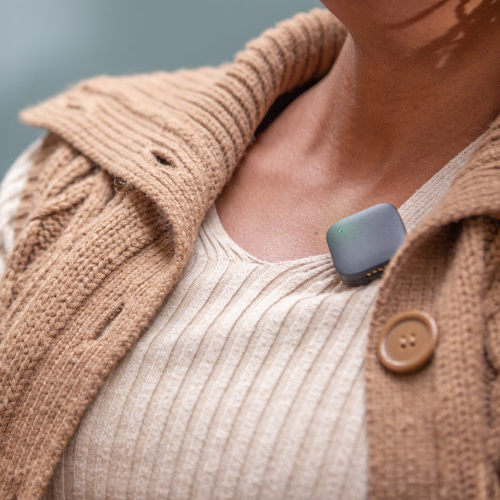
Record step in the Nomono app

Enhance

AI cleanup removes noise and levels every voice.
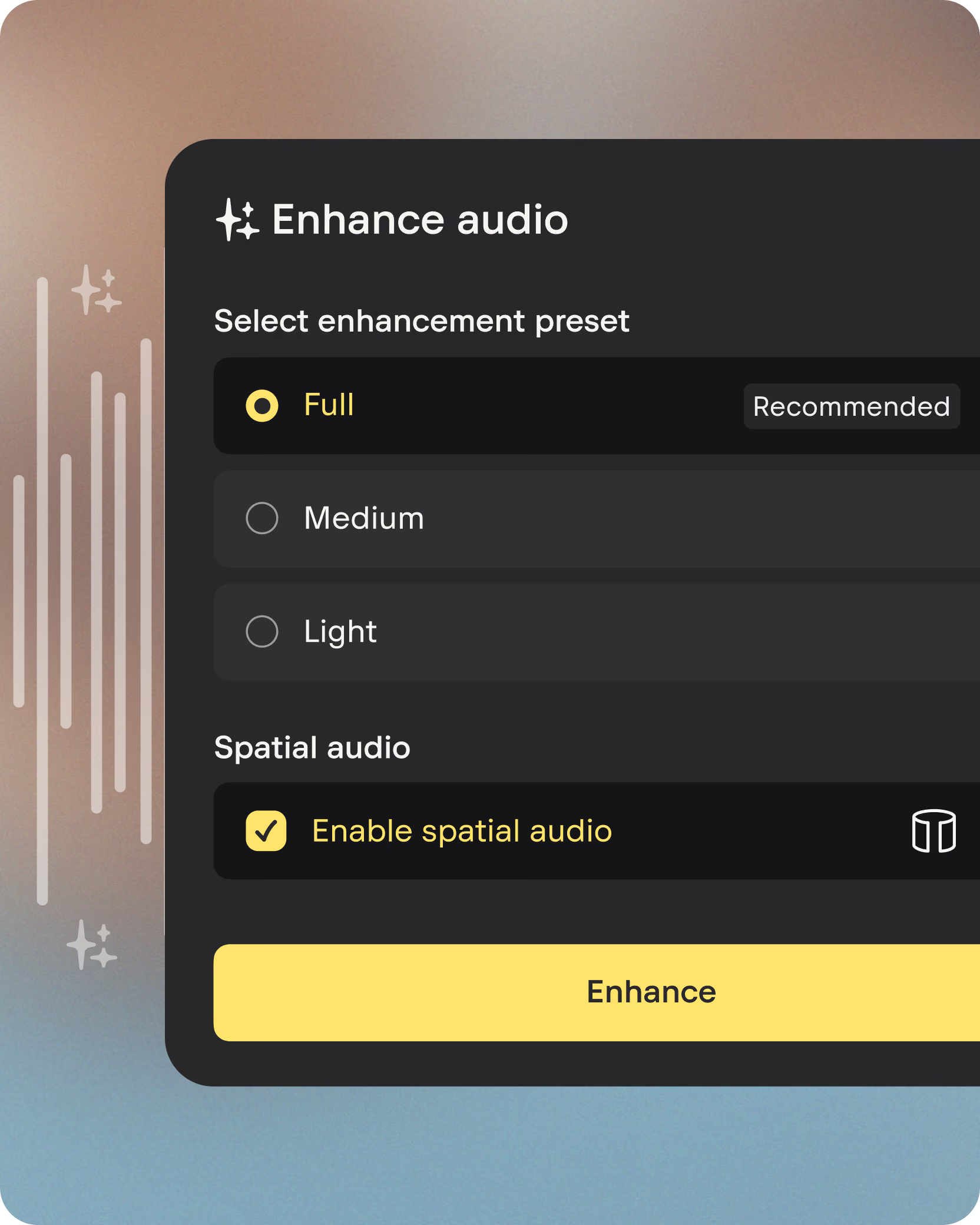
AI enhancement options in the Nomono app

Edit

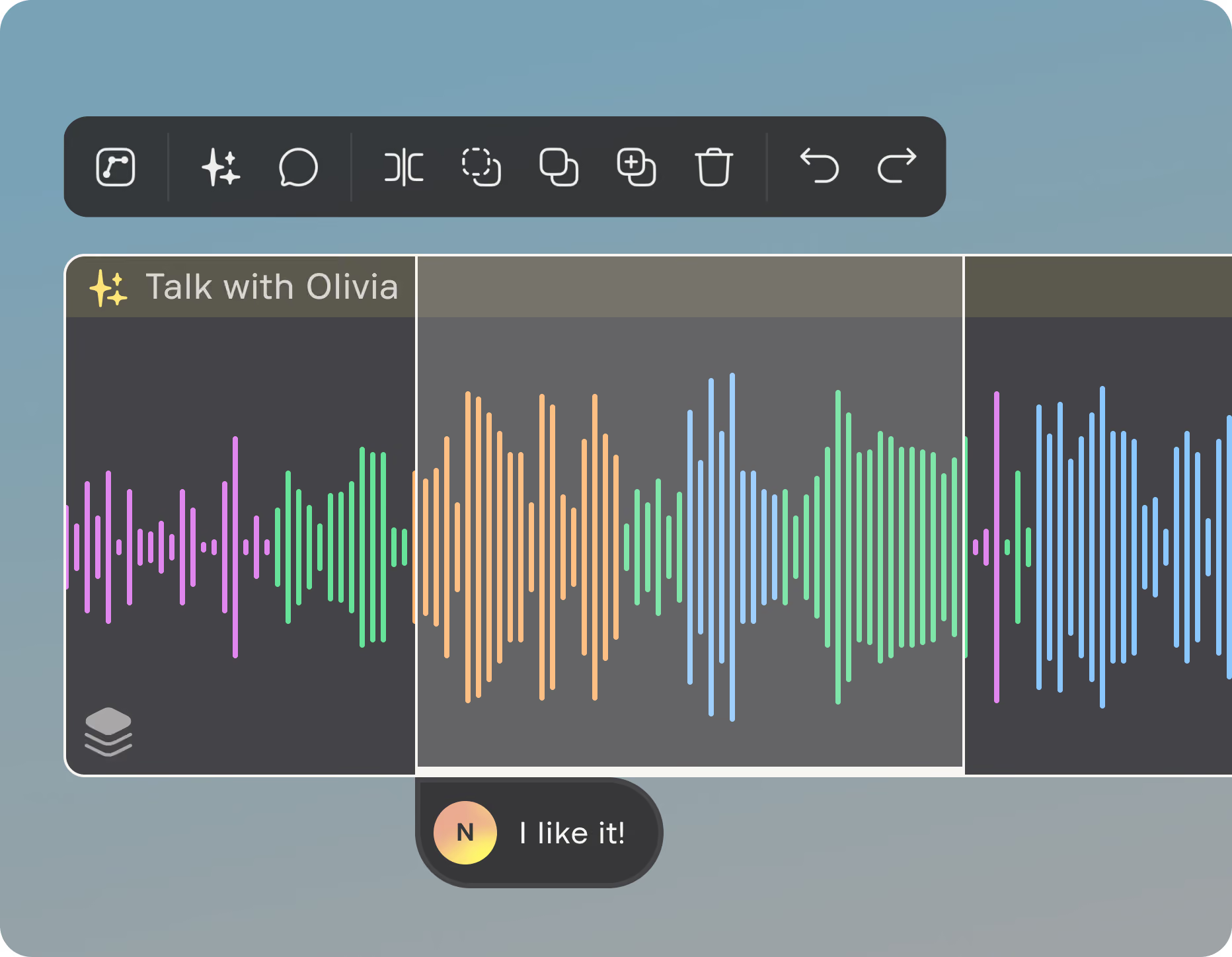
Trim, arrange, and add music on the episode timeline.
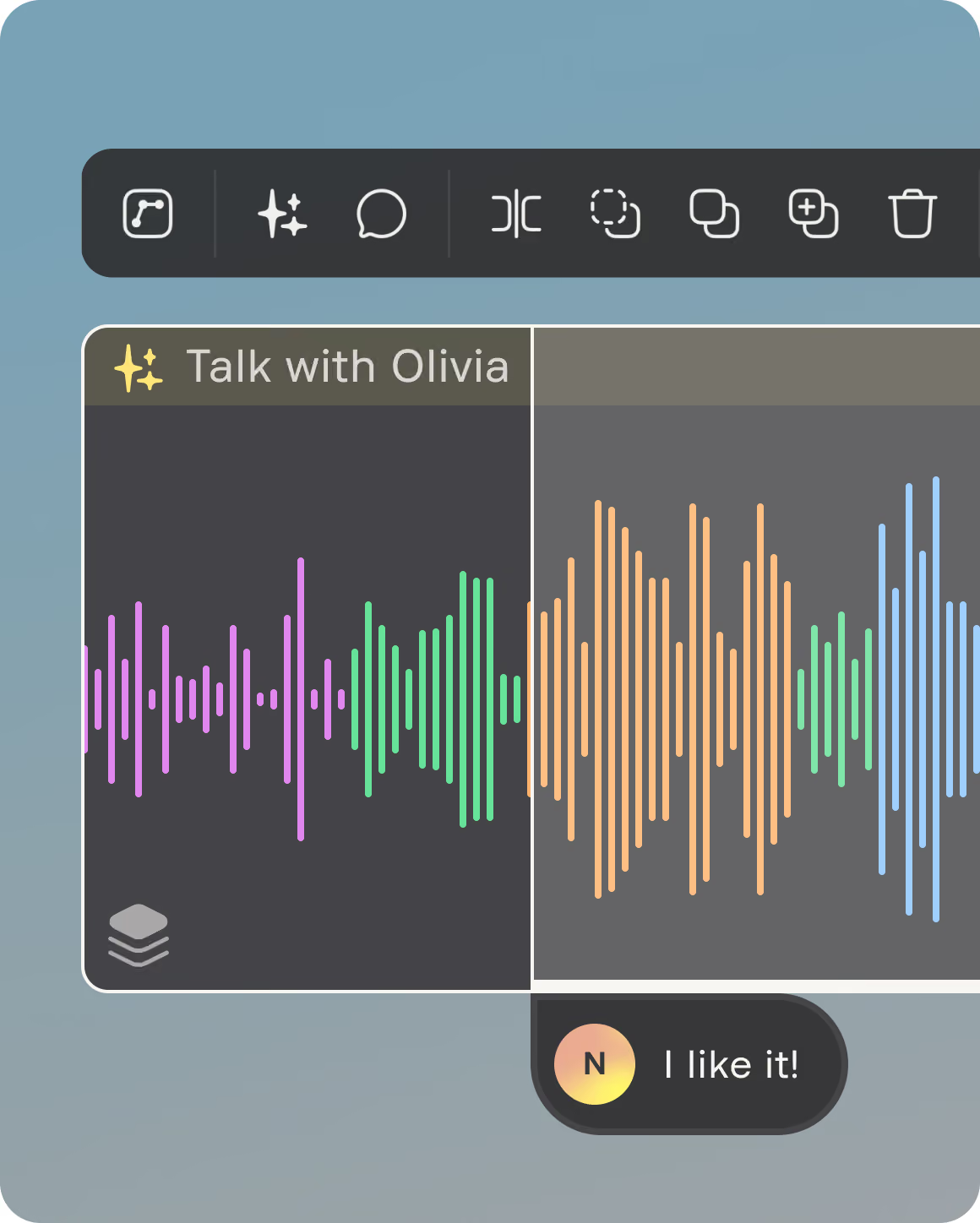
Audio waveform editing in the Nomono app

Transcribe

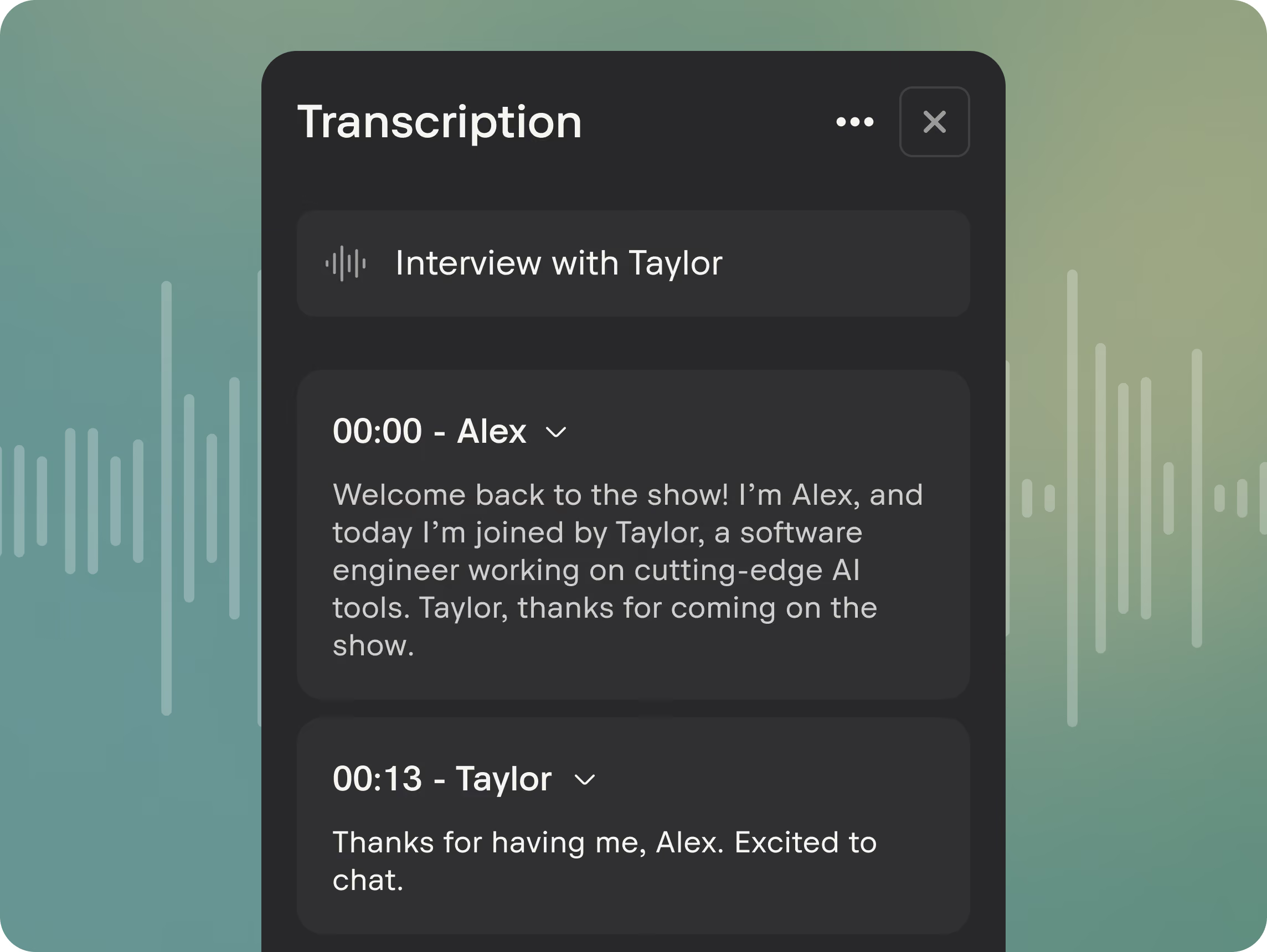
Searchable text with speaker labels in any language.
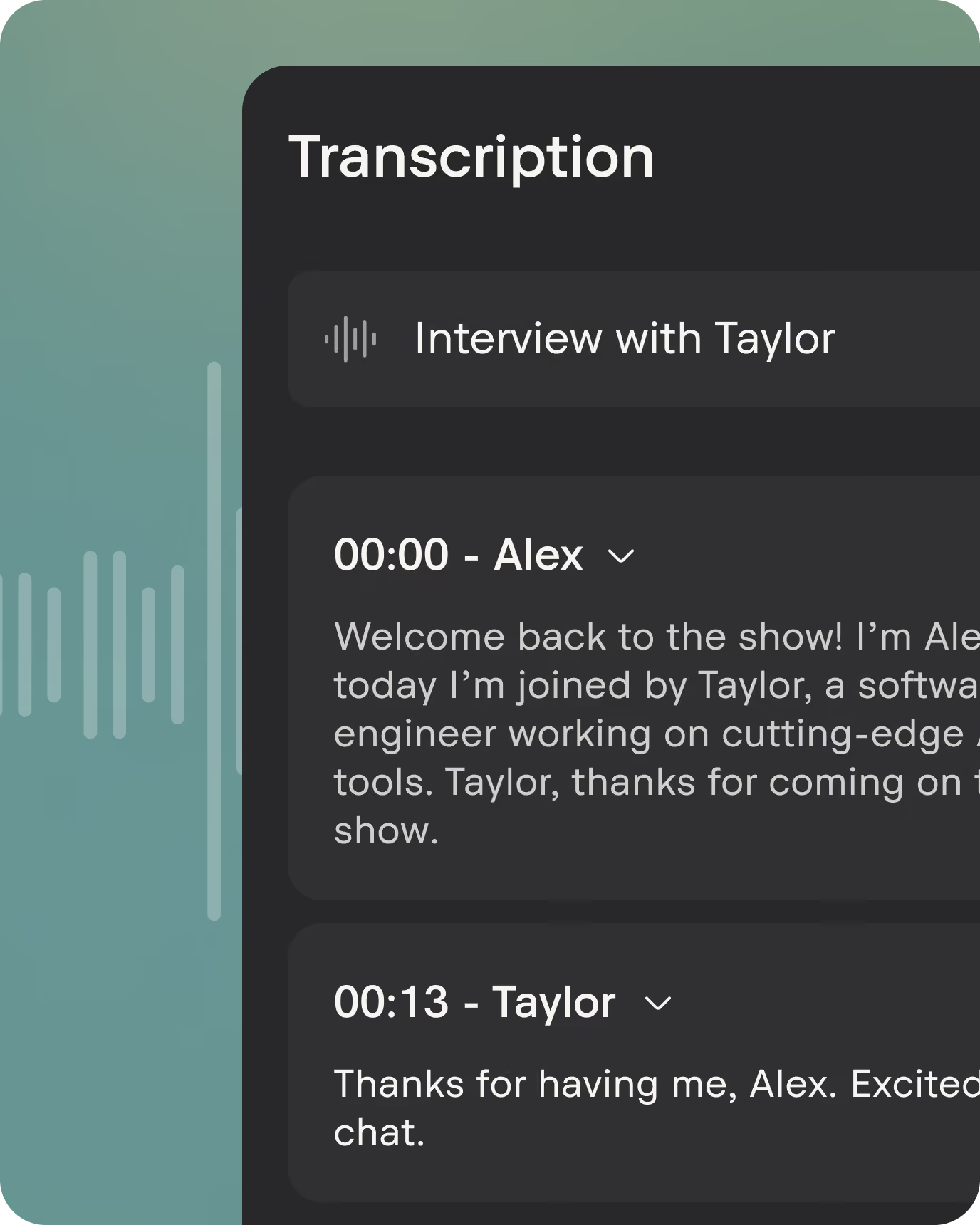
Transcript with speaker labels in the Nomono app

Publish

Export a broadcast-ready file for any platform.

Publishing from the Nomono app
Record step in the Nomono appAI enhancement options in the Nomono appAudio waveform editing in the Nomono appTranscript with speaker labels in the Nomono appSyncing audio to video in the Nomono app

One place, from first take to finished episode

Everything a spoken-audio creator needs,
in a single connected workflow.

Record

Chevron

Capture with a Nomono kit
or upload from any setup.

Record step in the Nomono app

AI cleanup removes noise
and levels every voice.

AI enhancement options in the Nomono app

Trim, arrange, and add music
on the episode timeline.

Audio waveform editing in the Nomono app

Searchable text with speaker
labels in any language.

Transcript with speaker labels in the Nomono app

Export a broadcast-ready
file for any platform.

Publishing from the Nomono app

Studio-quality sound in one click

One tap activates AI Enhancement.
Hear the difference.

Play the clip, then switch between raw and Nomono-enhanced audio.

Create directly from your browser

Drop in your recordings, add intros, outros and music, trim and arrange on the timeline, then export a broadcast-ready file.
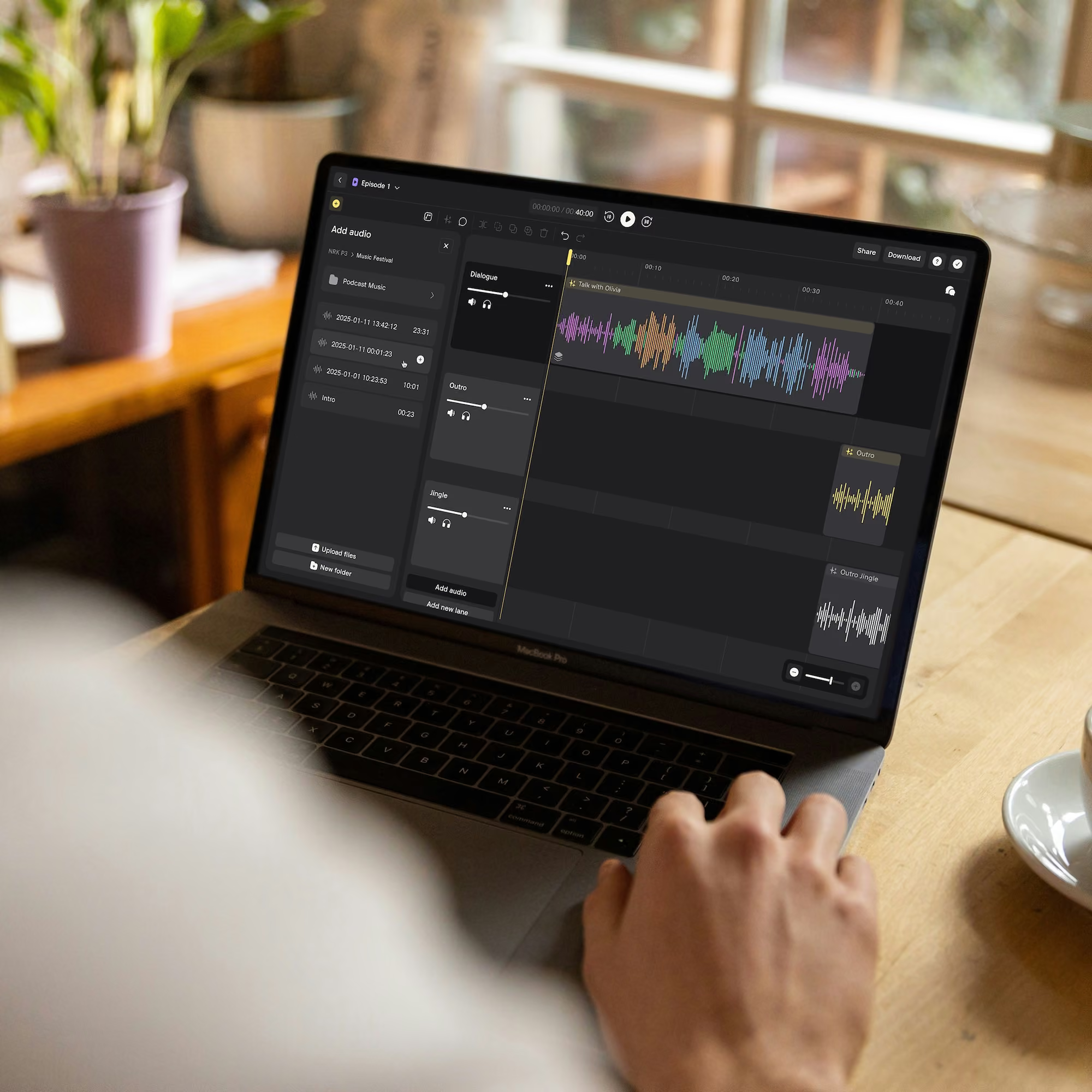
Person editing colorful audio waveforms on a MacBook Pro in a cozy room with plants and a coffee cup.
Start editing
Person attaching a small black Stellar Kit microphonedevice to the chest area of a patterned winter jacket.

The bundle you won’t find elsewhere

Smiling woman with the Nomono Sound Capsules around a table with two other people.

Hardware & software in one

Sound Capsule and Stellar Mics capture spatial, multi-mic audio that the cloud enhances.
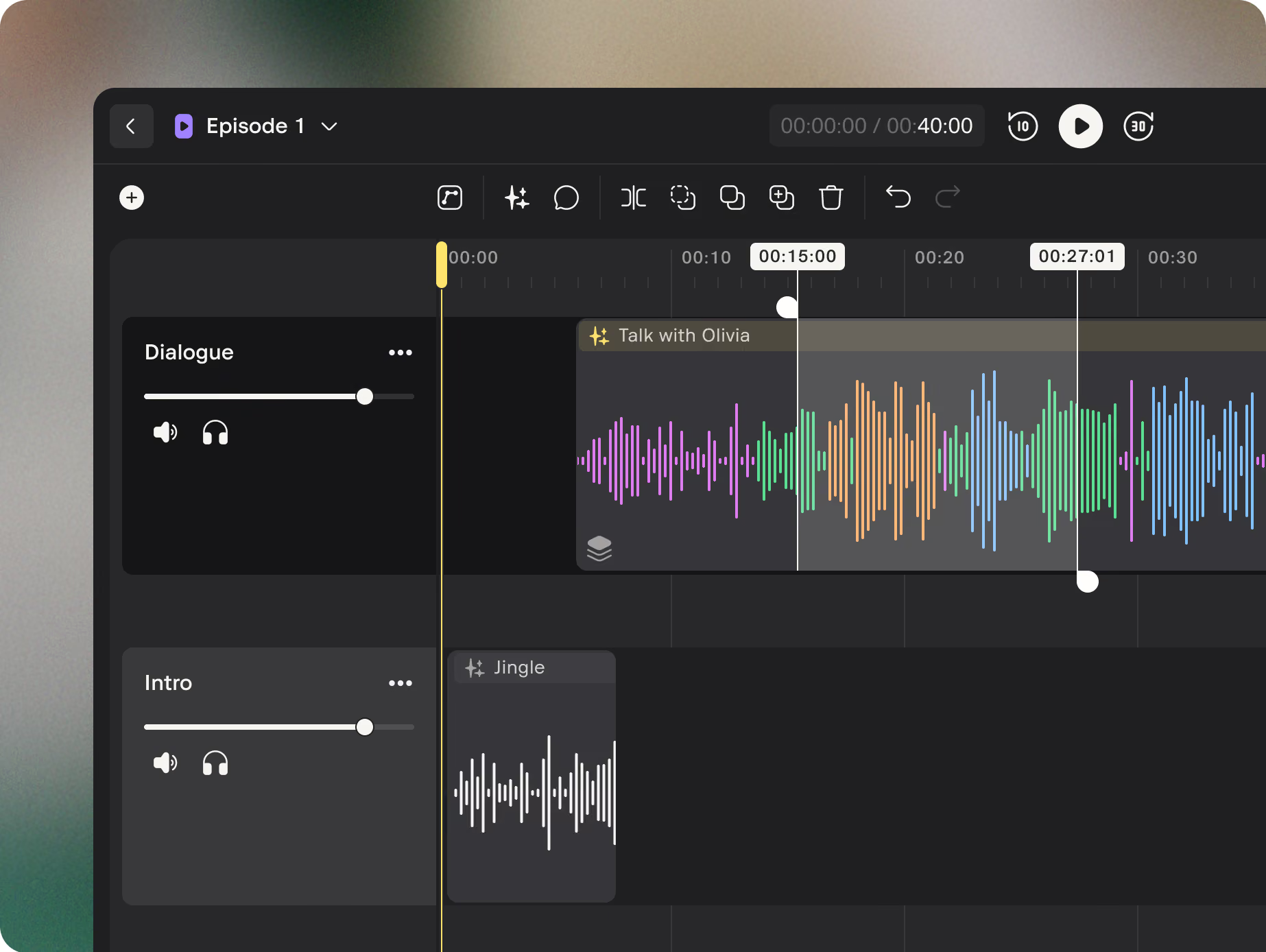
Person typing on laptop showing audio enhancement interface with waveforms on a round white table.

One-click audio/video sync

Audio fingerprinting locks studio sound to your camera footage, frame-accurate. No timecode, no manual alignment.

Smartphone screen showing two audio devices named Sound Capsule and Stellar Mics with toggle switches.

The whole workflow, one tab

Record, enhance, edit, transcribe, sync and publish without exporting between five separate tools.

Black soundwave icon with vertical bars of varying heights on a white background.
No software installation needed
Abstract black shapes on a white background resembling stars or plus signs.
11 automatic enhancement layers
Use with any kit and in any language

Record, edit and publish faster

Pick your plan. Each includes everything you need to start: the recording kit and Studio Cloud.

Professional

/mo

first year

Includes the Stellar Kit. For solo shows and one-on-one interviews. Clip on, talk, and the recording lands in Studio Cloud ready to edit and enhance.

Get Professional
Nomono Stellar Kit with two small black microphones, one docked and one hovering.

Premium

/mo

first year

Includes the Sound Capsule. For panels, roundtables and recording in the field. Seat up to four people anywhere and get professional studio sound.

Get Premium
Nomono Sound Capsule recording devices, smartphone with app interface, and laptop showing audio editing software.

Recording for a team or institution?

Frequently asked questions

What is Nomono Studio Cloud?
Nomono Studio Cloud is our cloud-based platform where you can upload, organize, enhance, edit, and collaborate on your audio recordings – all from your browser. It’s designed to make storytelling simple and intuitive, especially when used with Nomono hardware like the Sound Capsule or Stellar Kit.
Do I need the Sound Capsule or Stellar Kit to use Nomono Studio Cloud?
No, you can use Nomono Studio Cloud without Nomono hardware by uploading your own audio files – even on the free plan. However, using Nomono hardware unlocks additional benefits like automatic uploads, higher-quality recordings, and features designed specifically for spatial and immersive audio workflows.
What happens to my projects if I cancel my subscription?
You’ll still have access to your recordings and basic Studio Cloud features. However, additional AI-enhancement, extra cloud storage and transcriptions will no longer be available once your subscription ends.
What can I do in Nomono Studio Cloud?
In Studio Cloud, you can: upload and manage recordings from your Nomono gear or external recordings; use AI-powered tools to clean up dialogue, reduce noise, and polish audio; edit your audio, add comments, share sessions, sync audio with video and collaborate with others in real time; export your recordings in common formats like .wav and .mp3 – plus ambisonic format if you’re using the Sound Capsule; and organize your projects and streamline your workflow.
What’s included in each subscription, and can I change or cancel my plan?
To compare what’s included in the Free, Professional, and Premium plans, visit our Prices page for a full side-by-side feature breakdown. Each plan offers a different level of storage, hardware access, and AI-powered tools. Yes – you can upgrade your plan at any time through your Nomono account. Early cancellation is also possible, but the specifics depend on your current subscription. For full details, check our Terms of Service or contact support.
What does the Nomono Studio app do?
The Nomono Studio app connects to both the Sound Capsule and the Stellar Kit, giving you control over recordings in the field. You can start and stop sessions, monitor status, and automatically sync recordings to Nomono Studio Cloud for editing and enhancement.

Note: The Nomono Studio app is required for the initial setup and pairing of your hardware, and is an integral part of the Stellar Kit recording system.

Shipping and currency

Enjoy free express shipping to the listed locations within 2–5 business days.

Austria flagAustria
Belgium flagBelgium
Bulgaria flagBulgaria
Croatia flagCroatia
Cyprus flagCyprus
Czechia flagCzech Republic
Denmark flagDenmark
Estonia flagEstonia
Finland flagFinland
France flagFrance
Germany flagGermany
Greece flagGreece
Hungary flagHungary
Ireland flagIreland
Italy flagItaly
Latvia flagLatvia
Lithuania flagLithuania
Luxembourg flagLuxembourg
Malta flagMalta
Netherlands flagNetherlands
Norway flagNorway
Poland flagPoland
Portugal flagPortugal
Romania flagRomania
Slovakia flagSlovakia
Slovenia flagSlovenia
Spain flagSpain
Sweden flagSweden
United Kingdom flagUnited Kingdom
United States flagUnited States